Talla
Talla is an early-stage VC backed startup, looking to automate tasks for enterprise companies using Artificial Intelligence, Machine Learning, and chatbots.
- Role
- VP of Design
- Years
- 2016–2018
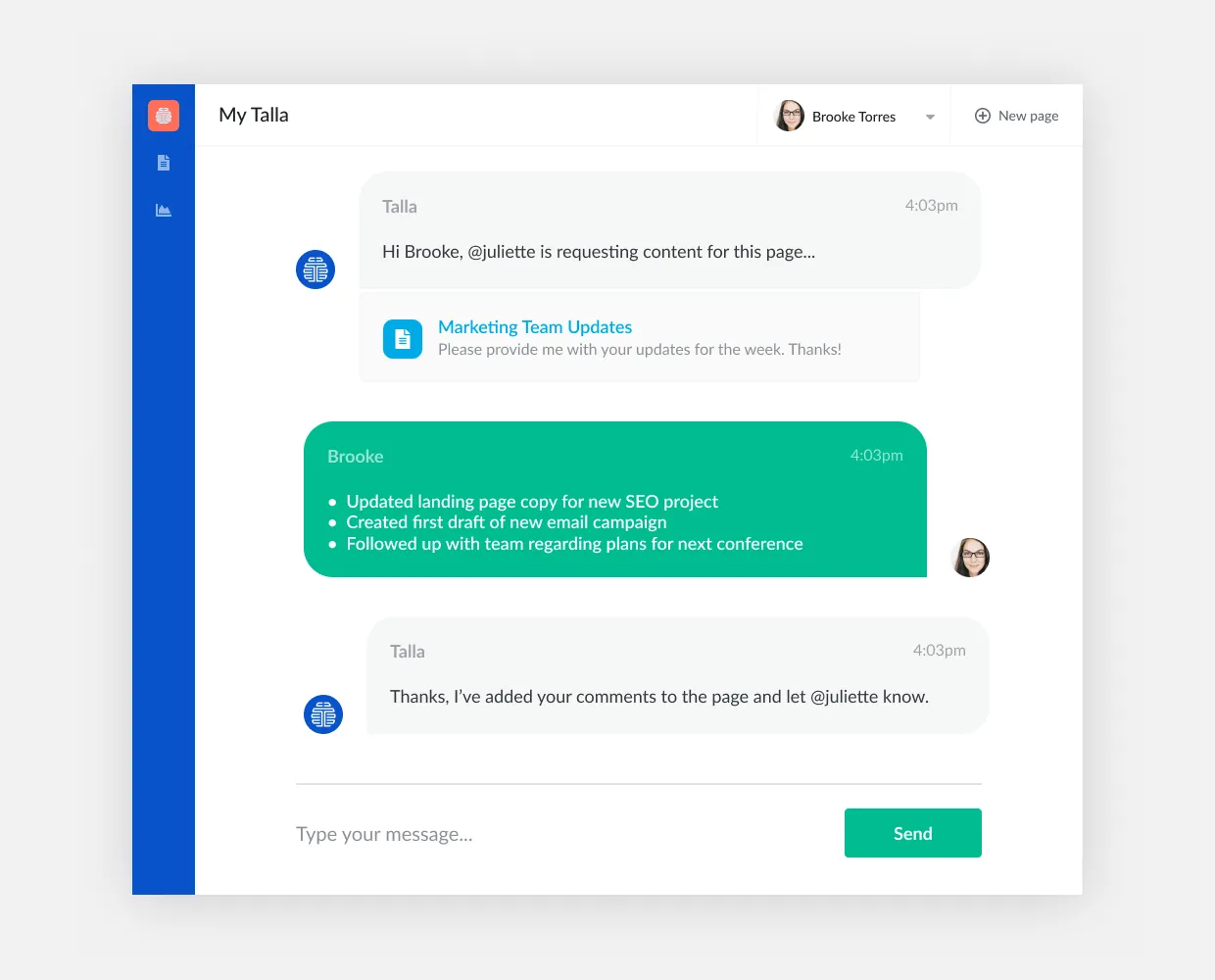
An example of an employee using our conversational web UI to chat with Talla.
At Talla I set out to build something like an LLM style chat assistant for the enterprise, years before the technology existed to do it well. The idea was a knowledge graph that evolved with a company as wikis went stale and people came and went. When Talla didn’t know an answer, it would route the question to the right person, and it would get smarter over time. Employees could talk to Talla in chat clients like Slack, MS Teams, and our own web chat software called TallaChat.
How do you design a conversation nobody has designed before?
Since nobody had really built this before, I invented an approach for designing conversation flows that were flexible enough to handle many different paths but still land somewhere useful. I prototyped and user tested the actual feel of those conversations with a Slack mockup tool, well before anything was built.
The hard part was the handoff. A mockup or a spec doc can’t capture branching conversational logic, so I translated each flow into diagrams and decision trees that engineering could build from.
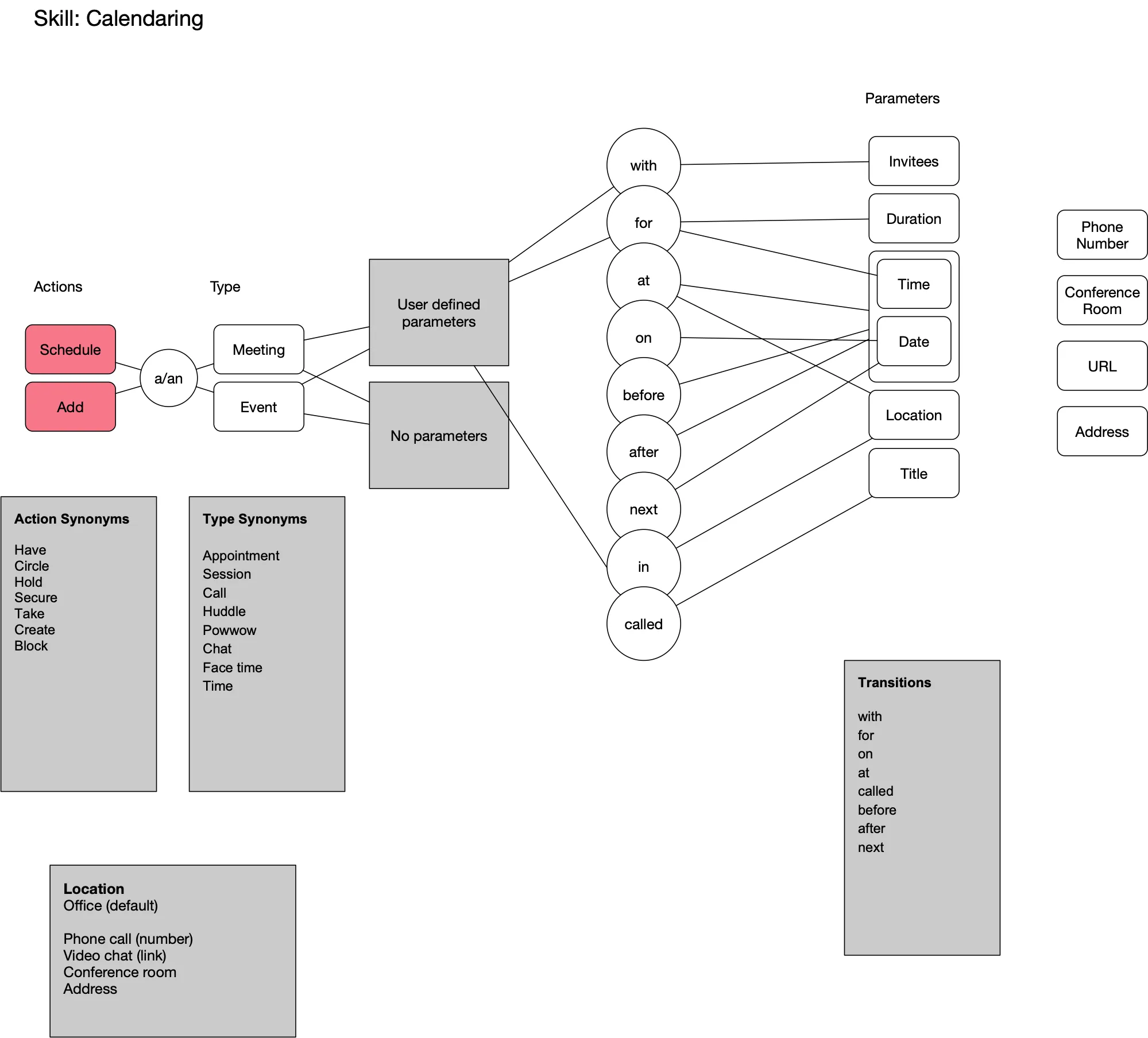
The Calendaring skill, mapped as a grammar. Actions and types each have synonyms, and small connecting words like “with,” “at,” and “for” tell Talla which parameter comes next.
Learned the hard way
Early on, the AI only worked when people phrased a question almost exactly the way we expected. Real people don’t do that. I redesigned the product to handle many ways of asking the same thing.
When a question is answered, the admin can add paraphrases, so Talla learns the other ways people will ask it. When Talla isn’t sure what someone meant, it doesn’t guess. It offers the closest matches, plus a “None of these” option, so the person stays in control.
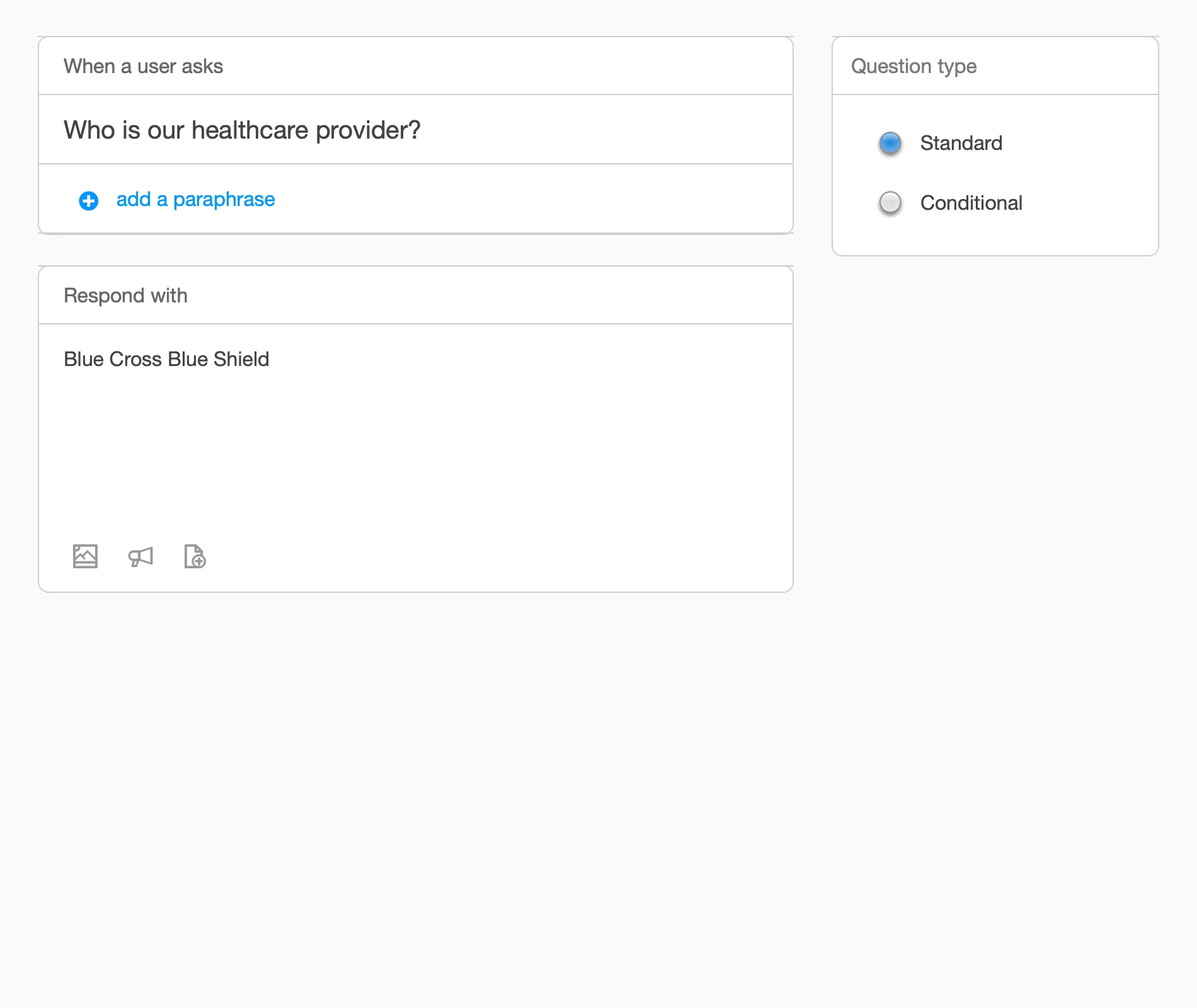
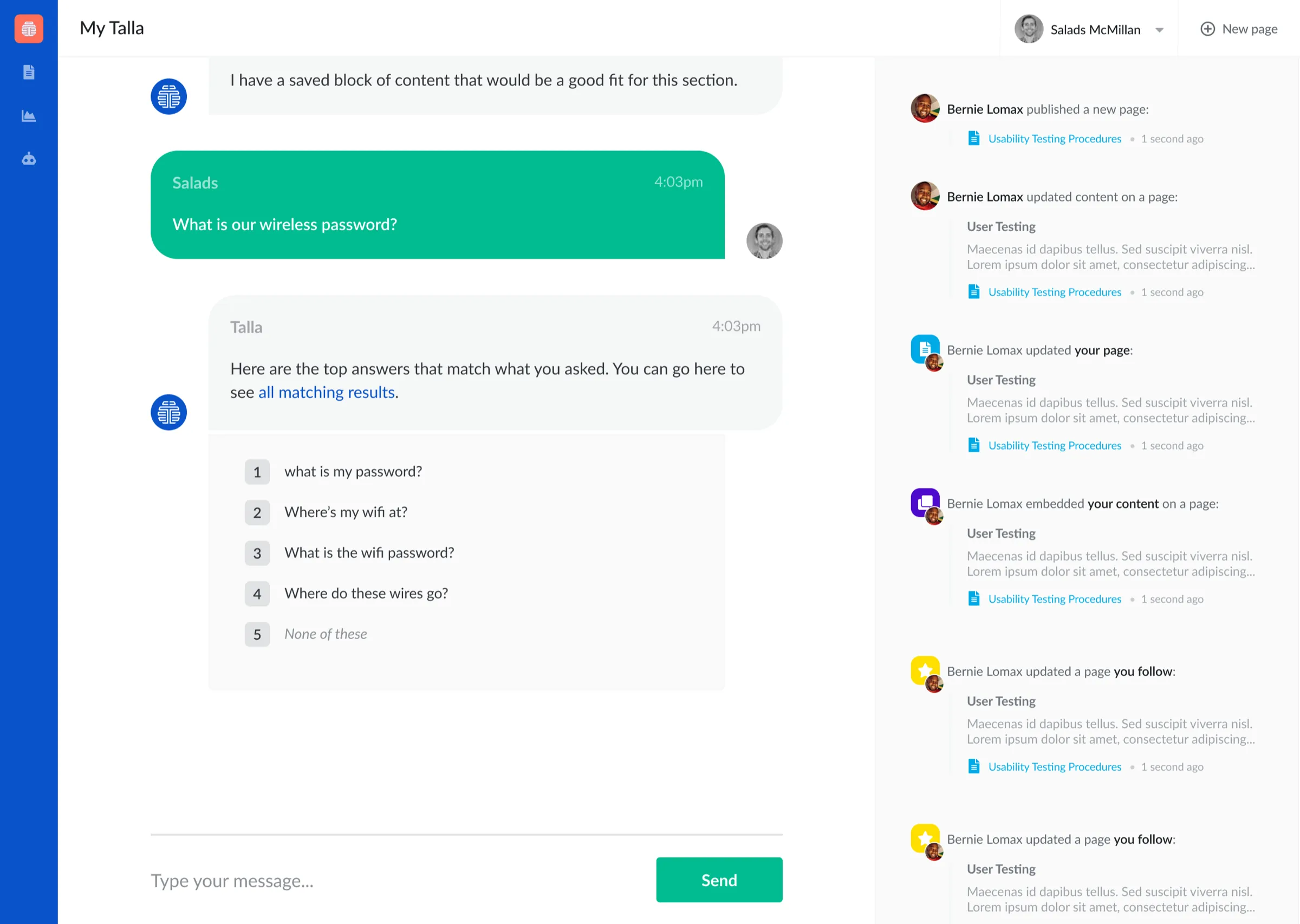
Left: adding paraphrases to a question. Right: when Talla isn’t sure, it asks.
I also started building workflow builders, so the product didn’t have to lean on AI for everything.
How should admins teach Talla?
We went through several iterations and prototypes to figure out the best interface to get knowledge out of the humans and into Talla. Ultimately we decided to create our own simple but powerful knowledge base. Because most enterprise customers are familiar with knowledge base software, this allowed us to onboard teams easily and without overwhelming them.
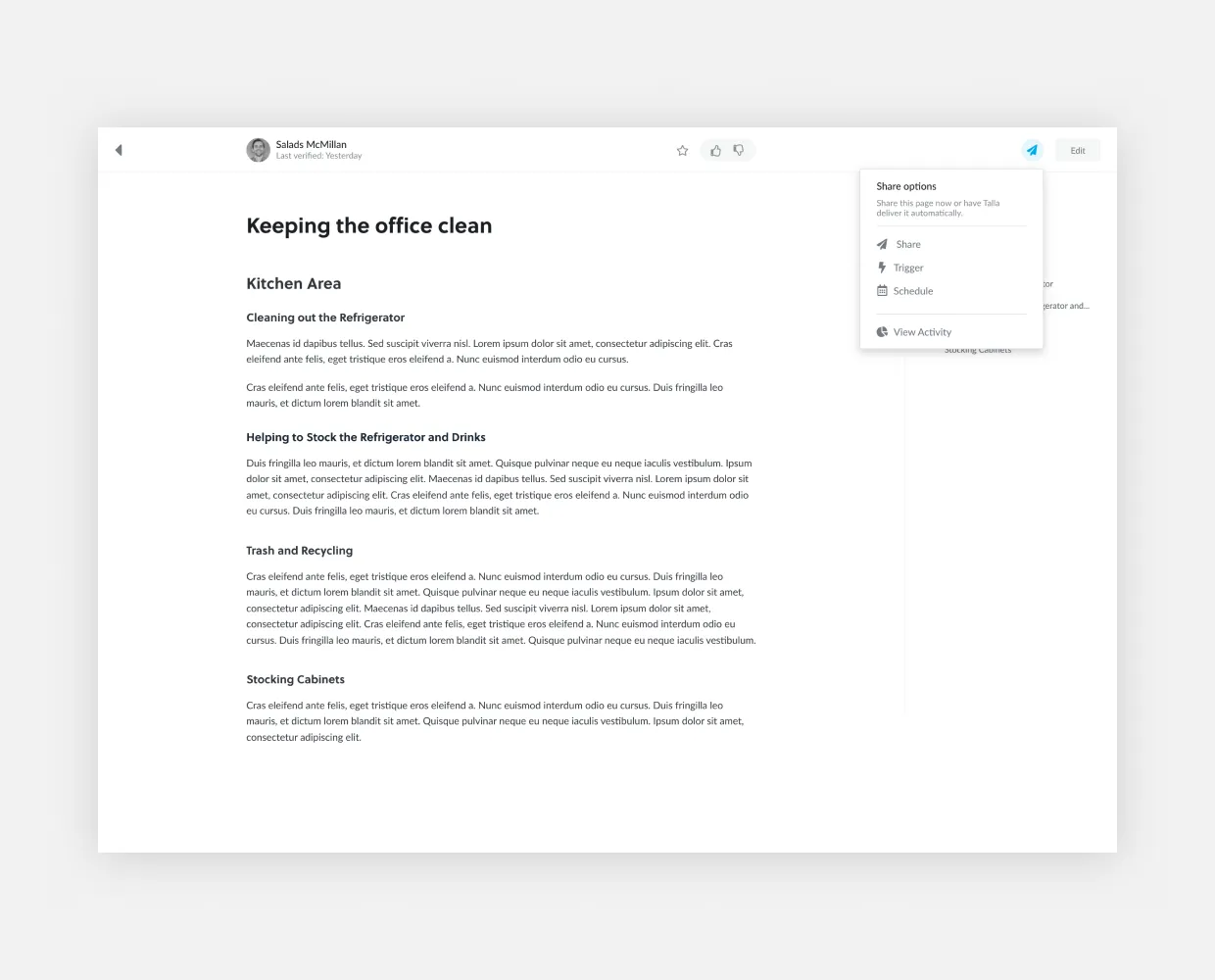
An example of a document in the Talla Knowledge Base.
Writing is only half of it. In the editor, a second mode lets authors annotate their own content, marking titles and sections, requesting content from a teammate, and defining terms, so Talla can understand a page instead of just storing it.
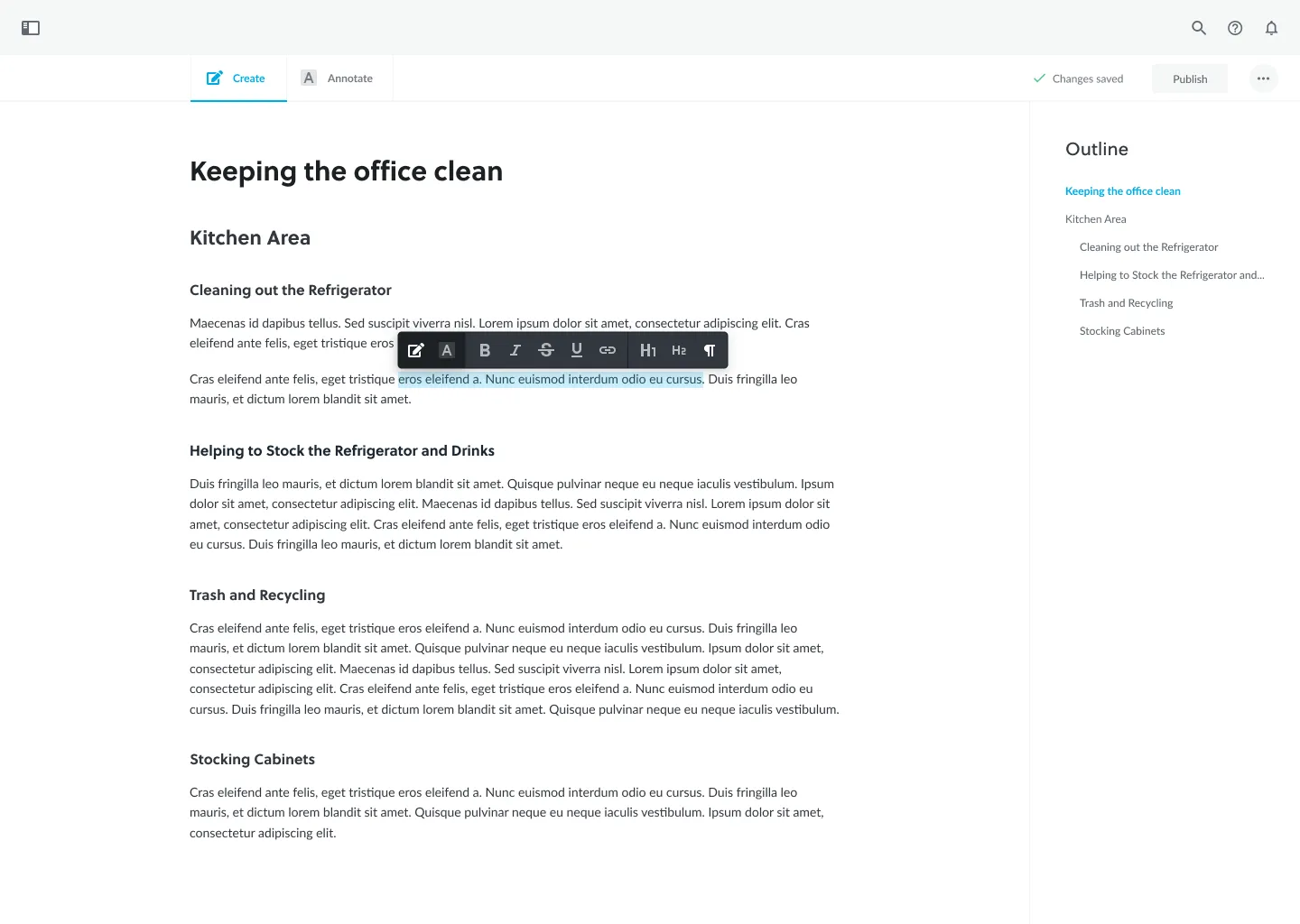
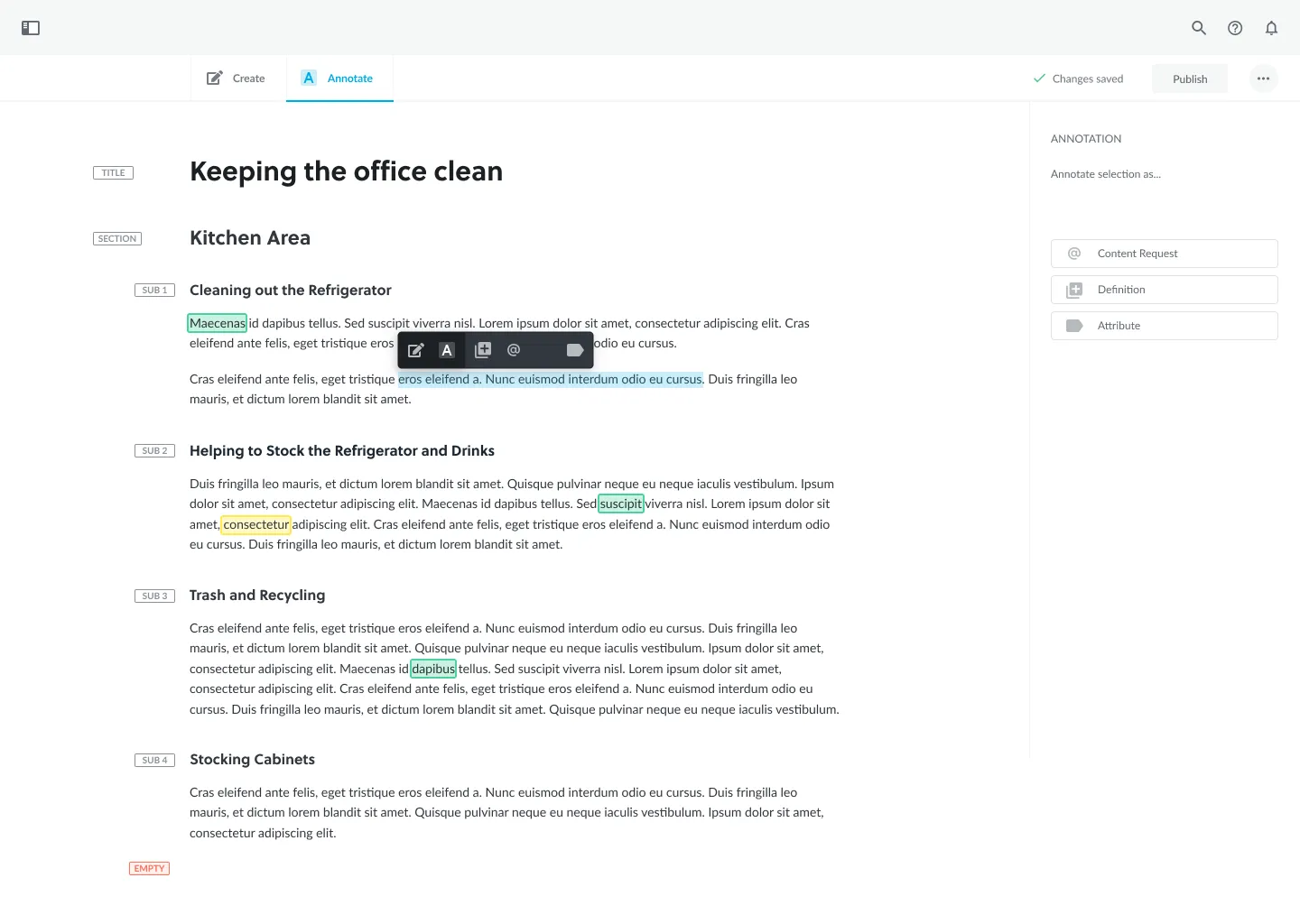
Left: Create. Right: Annotate.
Tickets, and answers that show their confidence
One of the major features we created was a simple but powerful ticketing system. This system would track all of the unsuccessful interactions between Talla and the employees, and surface the issues as tickets for the admin. From there they could respond directly to the employee, or give Talla the proper response for next time.
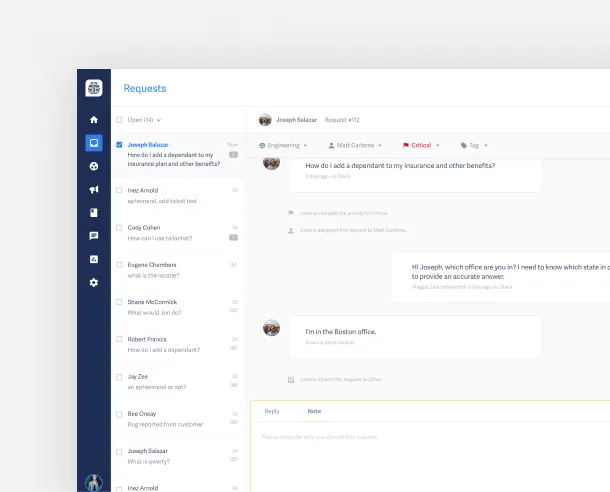
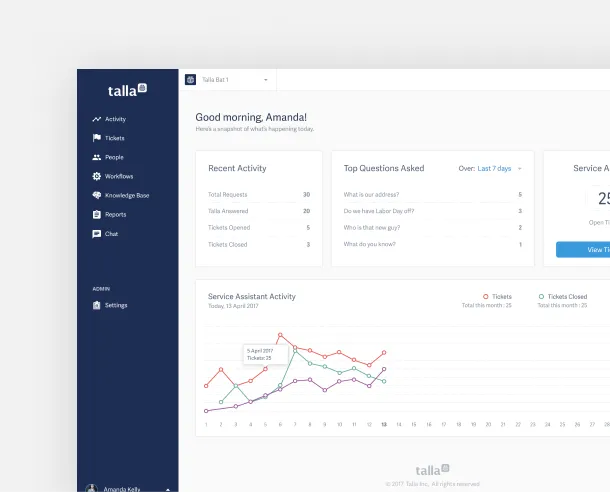
Left: the ticketing system. Right: the admin dashboard.
In the next version, Talla did more of the work. Each ticket comes with suggested answers from the knowledge base and workflows, marked High, Medium, or Low confidence, so an admin can send a good answer in one click or dig deeper when it isn’t a clear match.
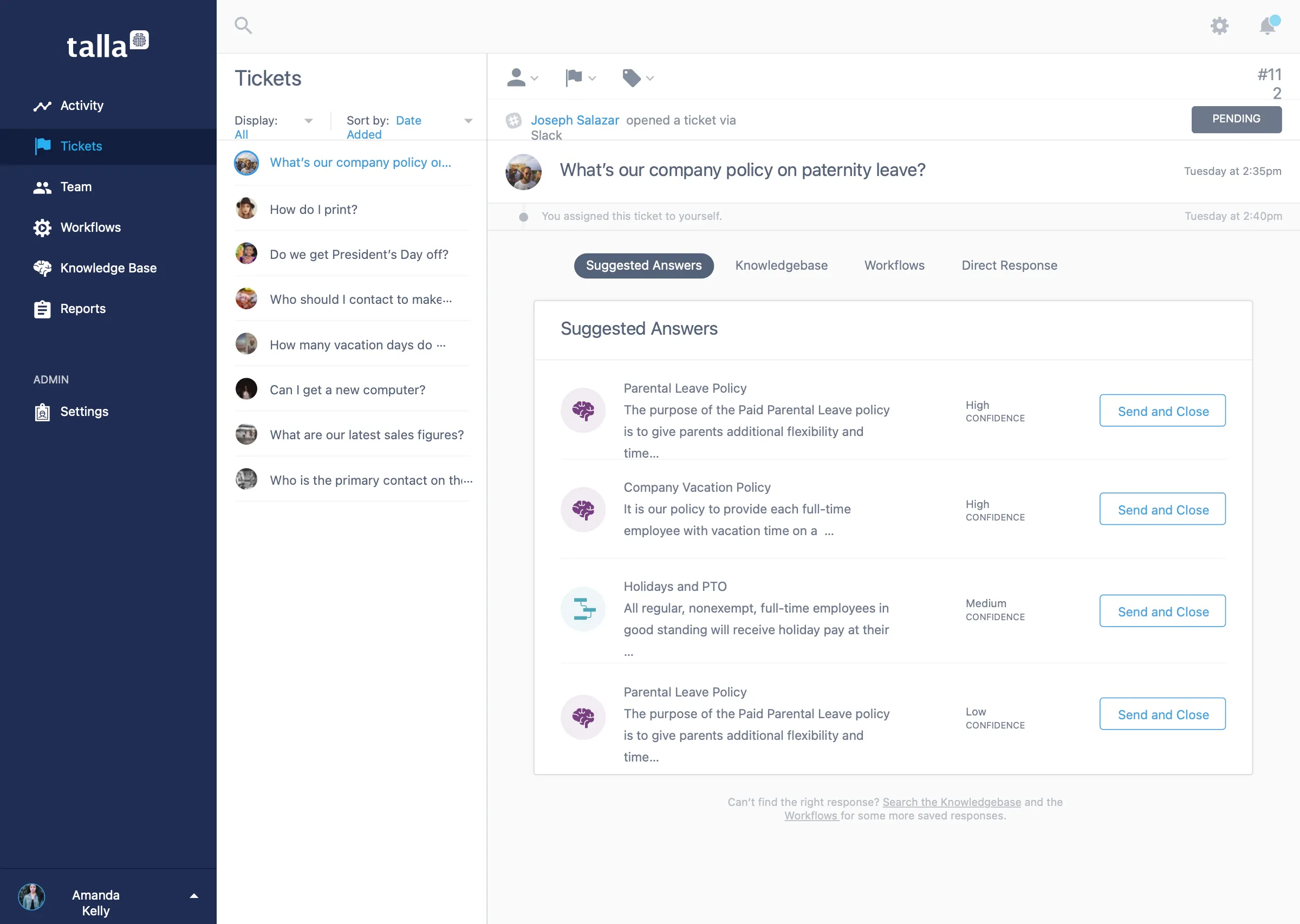
Suggested answers for a ticket, with confidence levels.
Getting this built meant writing everything down precisely. This is a page from the spec I handed to engineering, with sizes, type, and colors called out. New admins also get a short walkthrough the first time they use a screen.
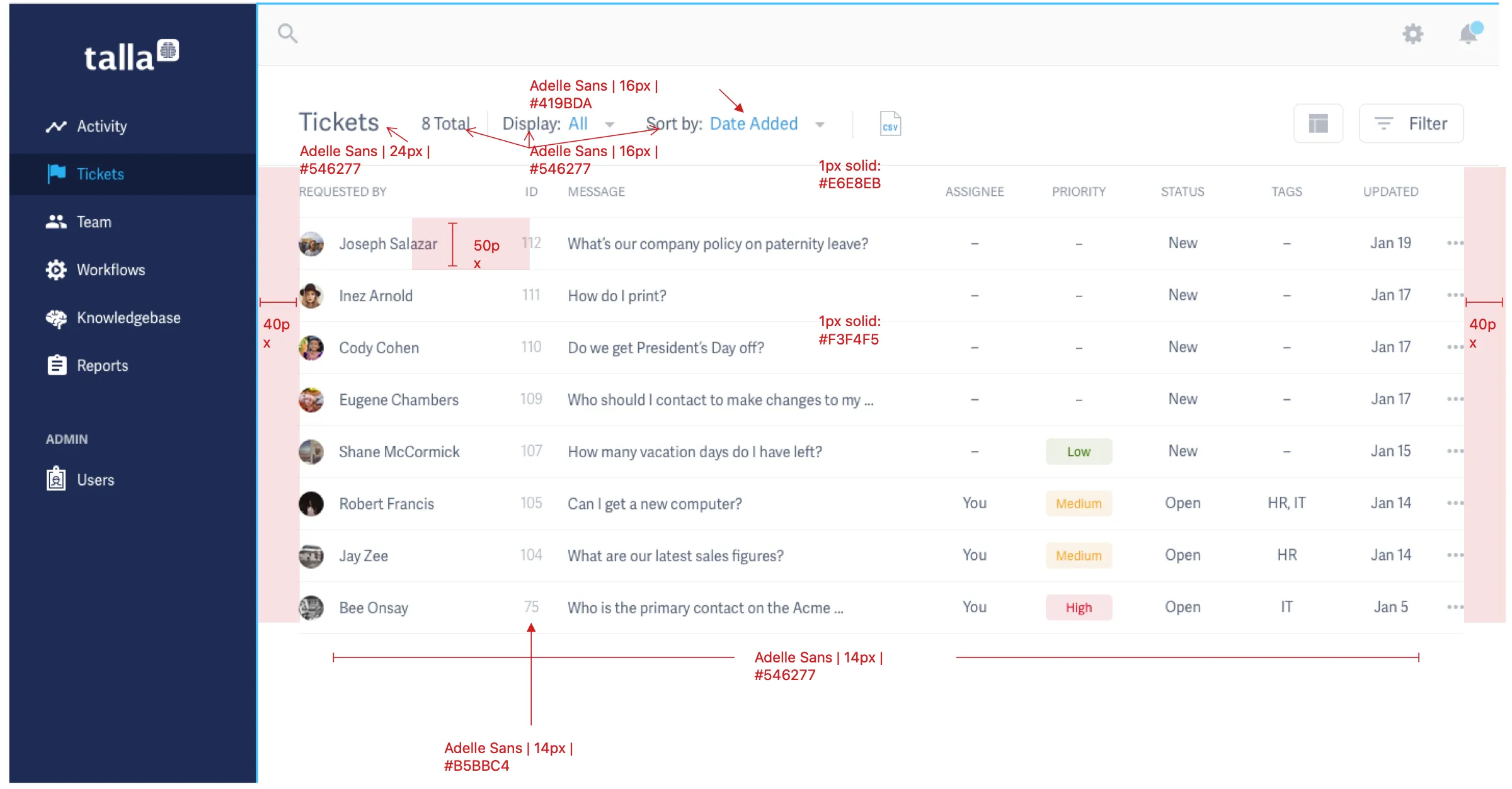
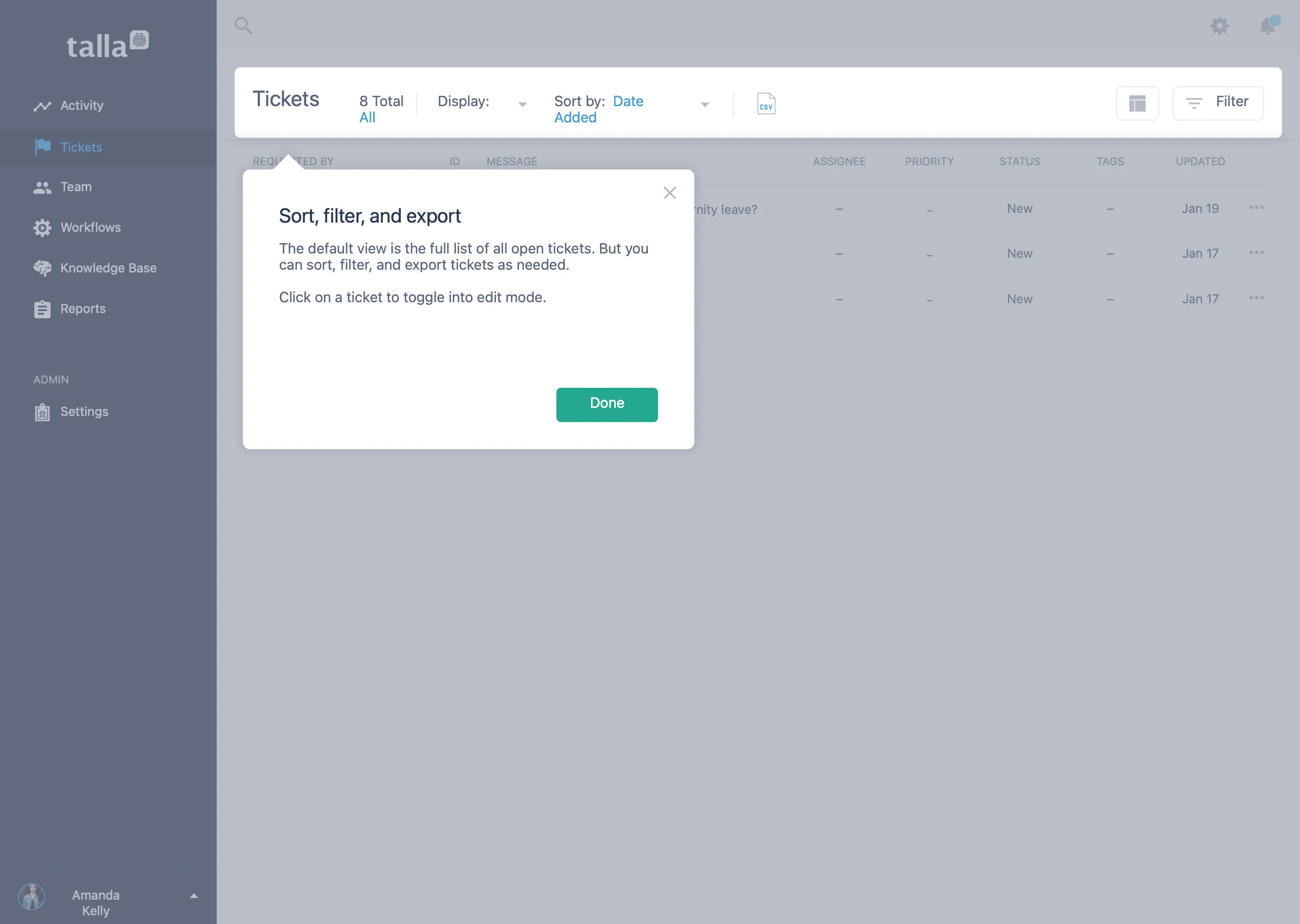
Left: a spec page for the tickets list. Right: a first time walkthrough.
Getting teams started
A product like this only works if people connect it and keep using it. I mapped the whole journey for admins and everyone else, from discovering Talla to integrating it, engaging with it, and thriving with it. A failed integration should never be a dead end, so the flows plan for it: an admin can be contacted, and a person without admin rights still gets a path forward.
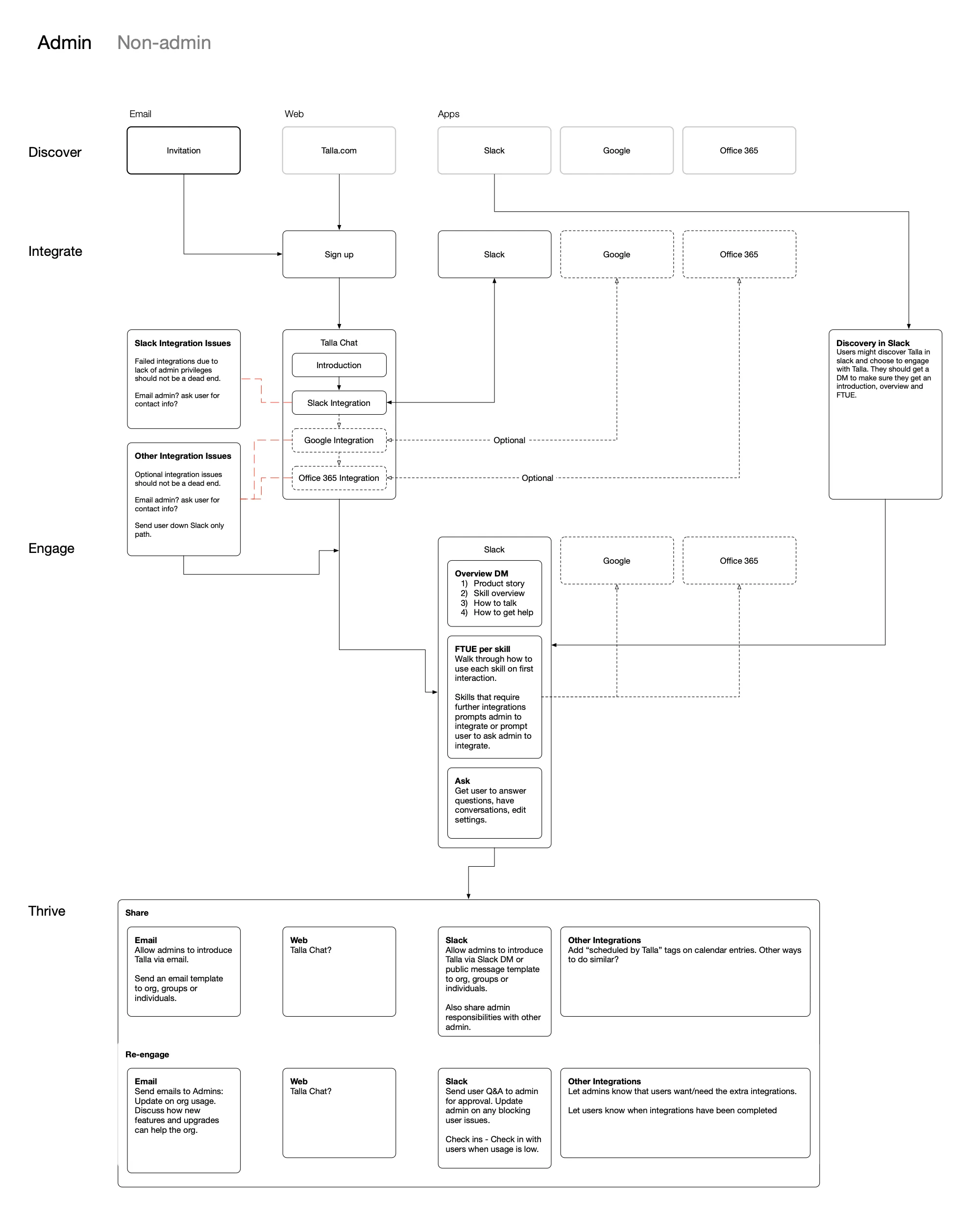
The admin onboarding journey, from discovery to sharing and re-engagement.
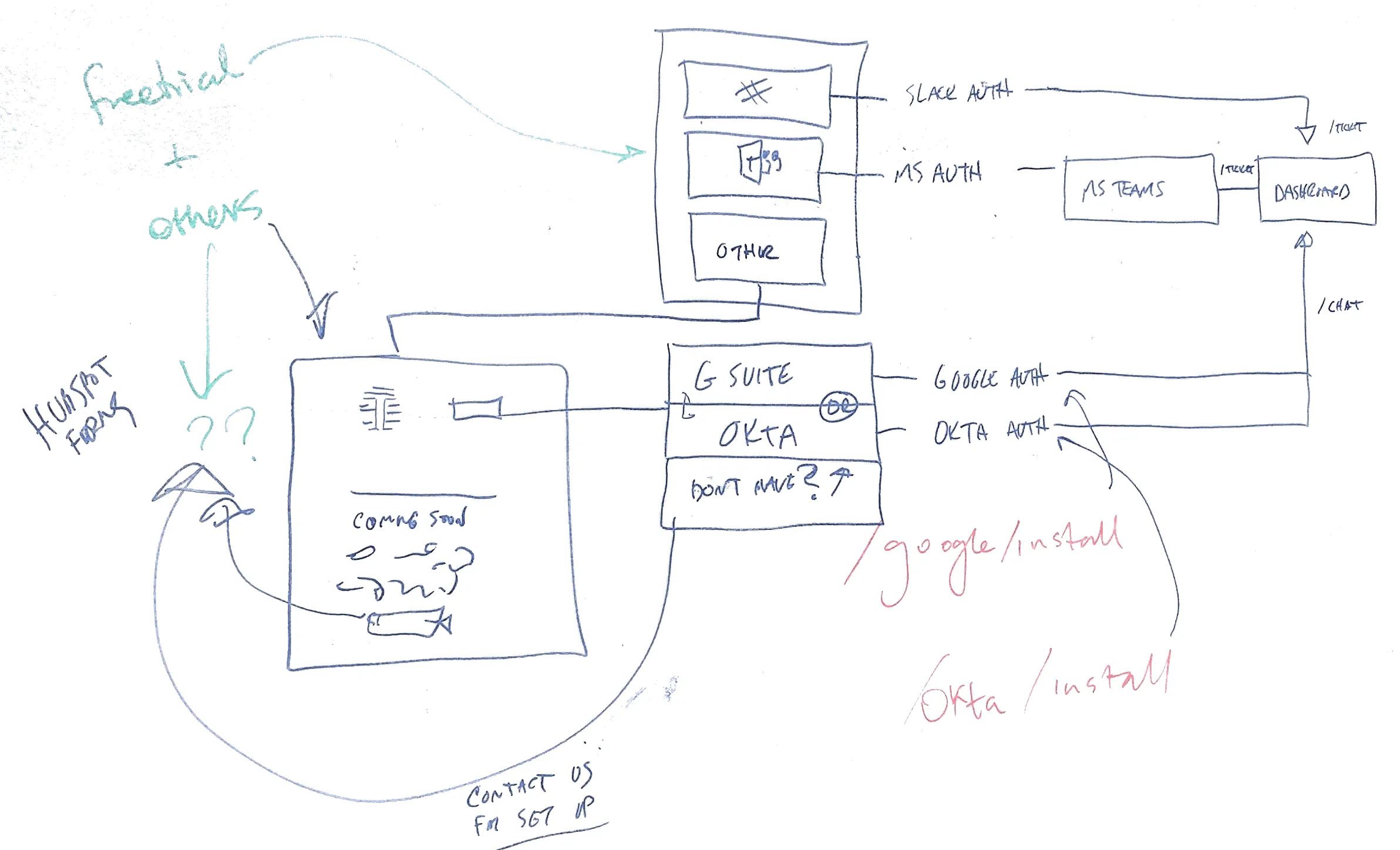
Working out how each chat platform and identity provider connects.
Working with Marketing
I also worked closely with Marketing on several initiatives.
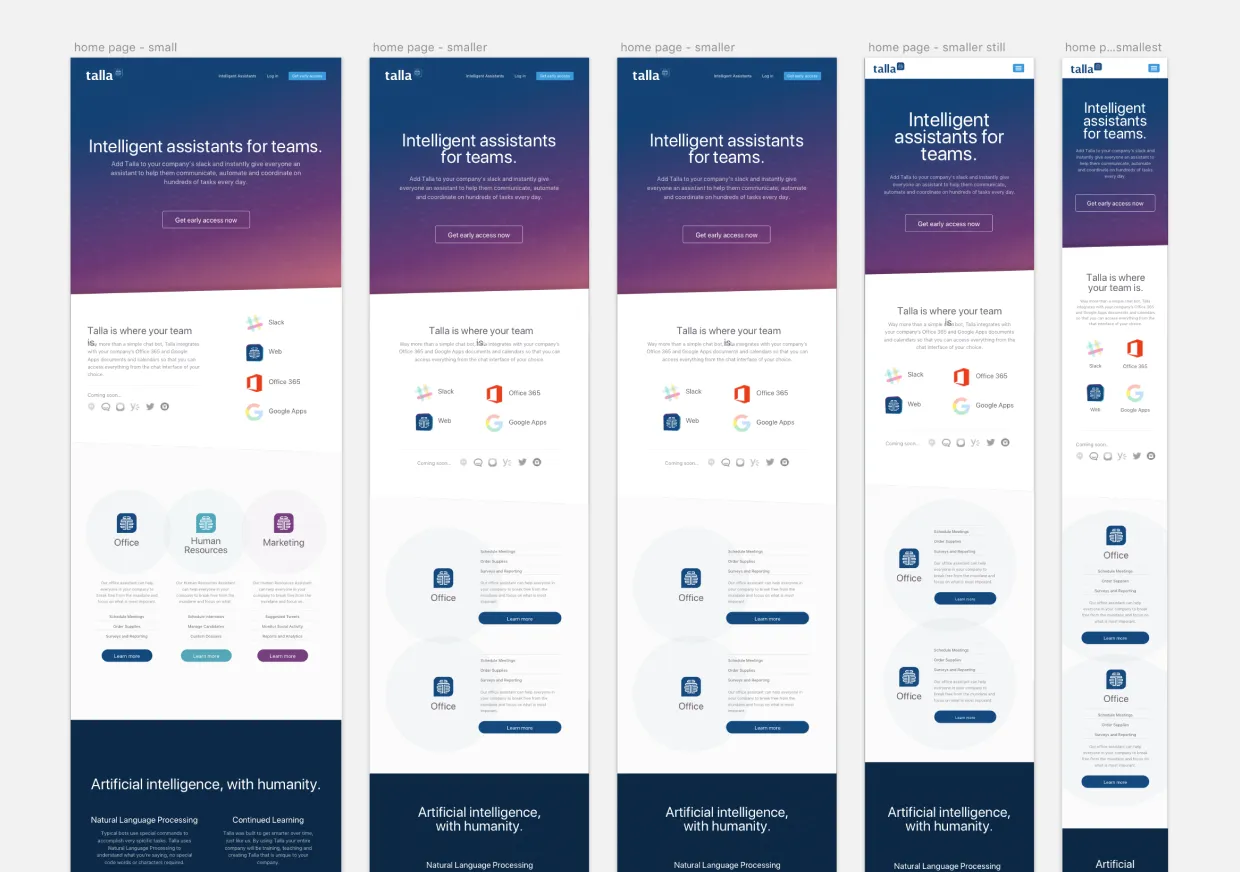
A responsive marketing website created to gauge interest in Talla.
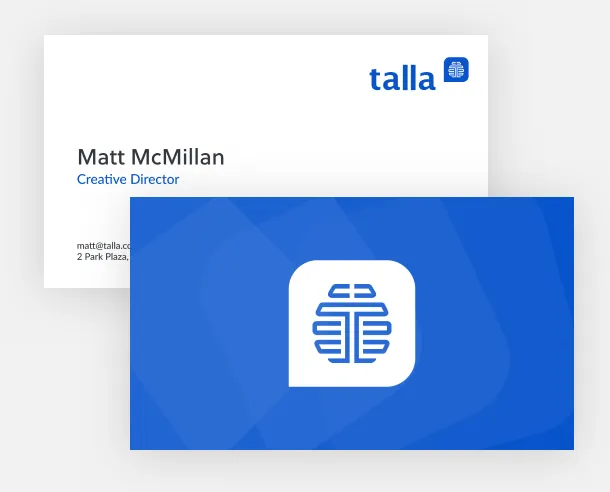
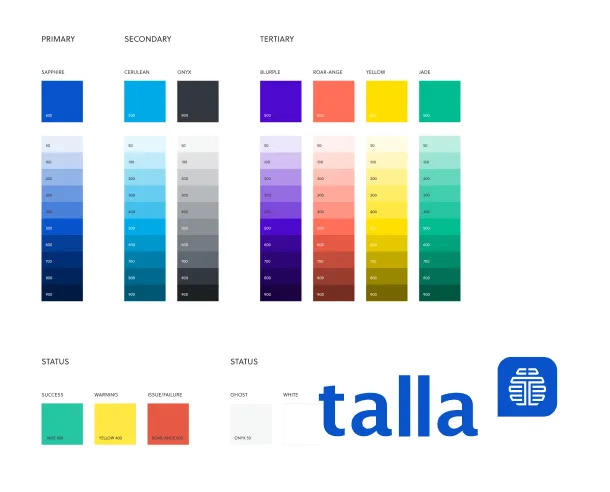
Brand identity and color palette
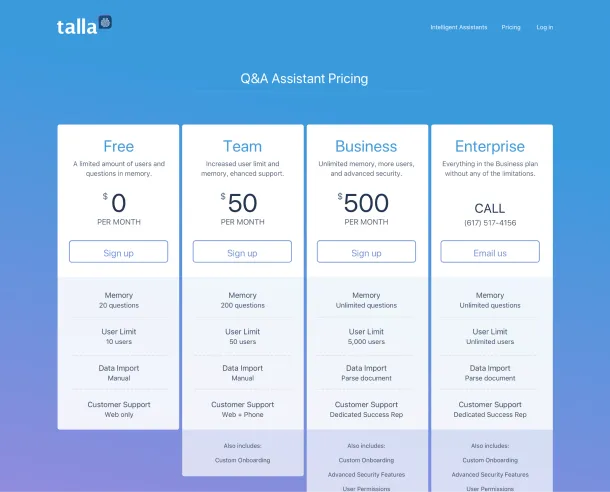
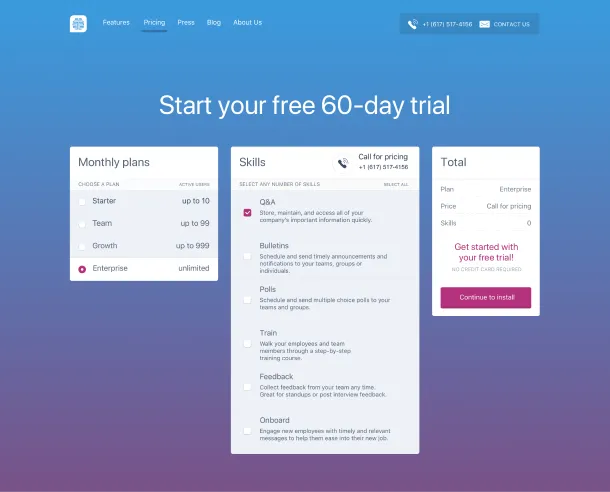
Pricing page tests
Testing the always important pricing page.